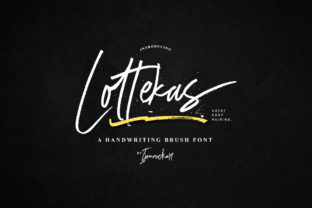
Lottekas: A Handwritten Font That Feels Human—Not Just Decorative
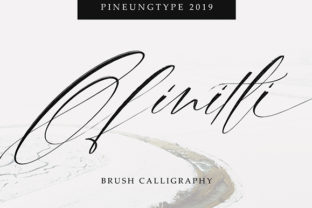
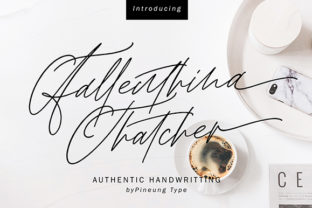
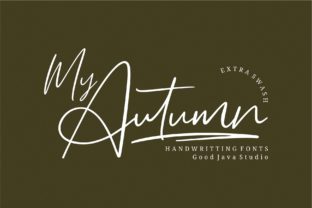
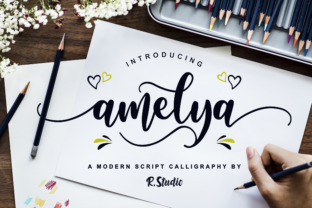
Lottekas isn’t just another script font you find in a free bundle. It’s a carefully crafted handwritten typeface with subtle irregularities, natural stroke variation, and an organic rhythm that mimics real pen-on-paper movement. That warmth matters—especially when your audience is scanning quickly, scrolling past generic content, or deciding whether to trust your brand, course, invitation, or product. People choose Lottekas not for novelty, but because it conveys sincerity, care, and approachability without sounding forced.
Assuming Lottekas Works Everywhere—Without Testing First
Lottekas shines in headlines, logos, quotes, and short-form text—but it wasn’t designed for body copy, captions, or small UI labels. Its delicate letterforms and connected strokes lose clarity below 16px, especially on lower-resolution screens or in email clients with limited font support. One freelance educator used Lottekas for her entire online course landing page—including paragraph text—and saw bounce rates climb by 37% in mobile sessions. The letters blurred together; readers couldn’t scan easily.
Before embedding Lottekas anywhere, preview it at the exact size and context it will appear: on a smartphone screen, inside a Shopify product card, as a Canva social graphic overlay, or in a printed brochure. If readability falters—even slightly—it’s not a flaw in the font. It’s a mismatch in application.
Overlooking Licensing Before Launching a Client Project
Lottekas is available under different licenses—some for personal use only, others for commercial work, and premium versions that include web font hosting, extended character sets (like Cyrillic or multilingual punctuation), or variable weight options. A small business owner once purchased a “free download” version of Lottekas from a third-party site, used it across her packaging, website, and Instagram ads, then received a licensing inquiry from the foundry. She hadn’t realized the file lacked commercial rights—or that the vendor wasn’t authorized to distribute it.
Always verify the source: buy directly from the official foundry or trusted platforms like Creative Market or MyFonts. Check the license summary for permitted uses—especially if you’re designing for a client, selling digital templates, or embedding fonts in SaaS dashboards. When in doubt, contact the foundry. Most respond within 48 hours—and many offer volume or agency licenses with clear terms.
Treating Lottekas Like a “Drop-In Replacement” for Other Scripts
Because Lottekas feels familiar—like something you might write yourself—it’s tempting to swap it in where you’d normally use fonts like Pacifico, Great Vibes, or Alex Brush. But Lottekas has distinct spacing, baseline alignment, and kerning behavior. Its lowercase a, g, and y sit lower than many scripts; its uppercase L and T have generous height and soft terminals. Drop it into a template built for tighter, more uniform scripts, and lines may misalign, tracking may feel uneven, or color contrast may unintentionally emphasize awkward gaps.
Instead of forcing fit, adjust your layout: increase line-height by 1.4–1.6x, loosen tracking slightly (20–40 units in design apps), and avoid justified alignment. Pair it intentionally—try Montserrat or Lora for supporting text, not other handwritten fonts. And always test combinations in real contexts: a newsletter subject line next to preview text, or a logo beside a tagline in dark mode.
Skipping the OpenType Features That Make Lottekas Stand Out
Lottekas includes stylistic alternates, ligatures, and contextual swashes—small details that elevate authenticity. But those features won’t activate automatically in most apps. In Adobe Illustrator or Figma, you’ll need to enable OpenType features manually (look for the “Glyphs” or “Character” panel). In CSS, you’ll need to declare them with font-feature-settings or use font-variant-ligatures.
For example, enabling discretionary ligatures turns “fi”, “fl”, and “ff” into smoother, more natural connections. Stylistic sets can swap out the default Q or z for versions with more flair—ideal for logos or monograms. Skipping these means missing half the personality Lottekas offers. Don’t treat it like a basic font file. Treat it like a toolkit—and spend five minutes exploring what’s included.
Underestimating File Size and Loading Impact on Websites
Lottekas is a well-hinted, optimized font—but it’s still a variable or multi-weight web font. If you load the full family (regular, bold, italic, variable axis) without subsetting, it can add 300–500KB to your page weight. That delay matters, especially for users on slower networks or older devices. One boutique bakery saw a 2.3-second increase in time-to-interactive after adding Lottekas as a headline font across all pages—hurting both SEO and conversion.
Solution? Subset aggressively. Use only the characters you need (e.g., Latin-1 + common punctuation), serve WOFF2 only, and lazy-load Lottekas only where it appears—like hero sections or testimonials—not site-wide. Tools like Google Fonts’ API (if hosted there) or Transfonter let you generate leaner files. Or host just the regular weight and style headlines in SVG for maximum control and speed.
What to Check Before You Commit
- Test legibility at your smallest intended size—and on actual devices, not just desktop previews.
- Confirm license scope: Does it cover your use case (e.g., merchandise, SaaS, client deliverables)?
- Review character coverage: Does it include accented characters you need for your audience’s language?
- Check OpenType support in your tools—and plan how you’ll activate swashes or ligatures.
- Measure performance impact before deploying to production—especially on mobile.
Lottekas works best when treated with intention—not as decoration, but as voice. It’s the difference between saying “We made this with care” and letting your typography say it for you. Choose it for moments that deserve attention, pair it thoughtfully, respect its limits, and let its organic rhythm do what it does best: make digital space feel human.